

Screenshots







About Screenshot X - Screen Capture
-
App Name
Screenshot X - Screen Capture
-
Package Name
com.jaredco.screengrabber8
-
Developer
TarrySoft -
Category
Photography -
Rating
4.3
-
Version
2.102.7
Introduction to Screenshot X
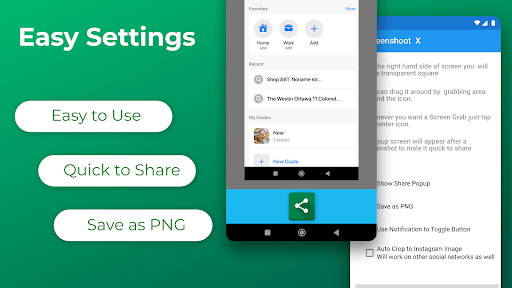
Screenshot X is a powerful screen capture tool that helps you take and share screenshots in the fastest and easiest way possible. With just a tap on your phone's screen, you can instantly grab a screenshot and share it via messaging apps, emails, clouds, photo editing apps, or any phone tools you have. It's a flexible and handy app that lets you capture any screen you want without messing up your phone's screen.
Features of Screenshot X
With Screenshot X, you can enjoy a range of amazing features that make screen capturing a breeze. These include:
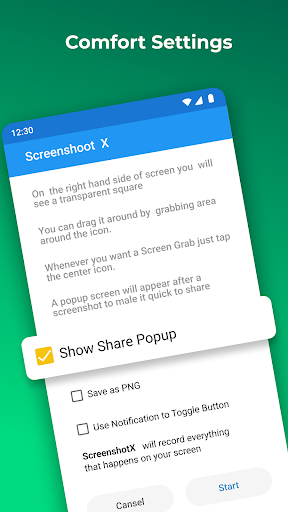
- One-tap screen capture: Just tap on the icon, and our app will instantly capture a screenshot.
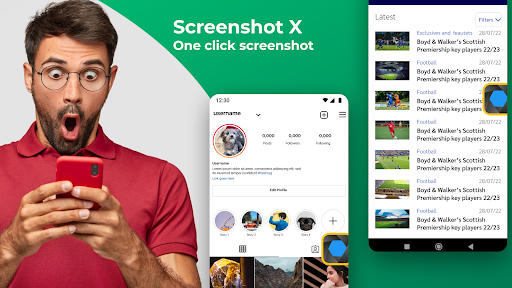
- Screen Grabber feature: Capture anything nice or funny you see on Instagram or chat sessions.
- Stealth mode: No one will know you've taken the screenshot. One tap on your phone screen, and you're done.
- Easy sharing: Share the screen record through other apps like Emails, Facebook, Photo Editing apps, Cloud Service, or any phone tools you have.
- Moveable capture screen icon: Move around the capture screen icon to anywhere on the screen for more comfortable viewing.
- Screen Grabs folder: Screenshot X saves each screenshot in a new picture file called Screen Grabs, making it easy for you to find your captures.
Pros of Screenshot X
With Screenshot X, you get to enjoy the following benefits:
- Quick and easy screen capture: One tap, and you're done.
- Flexibility: Share your captures via other apps and move around the capture screen icon.
- Stealth mode: No one will know you've taken a screenshot.
Cons of Screenshot X
As with any app, Screenshot X has a few disadvantages that may be of concern to you. These include:
- Limited editing options: The app doesn't come with sufficient editing tools for enhanced visuals.
- Pop-up ads: There might be ad interruptions, but you can remedy this by upgrading to a premium version.


